Do Older Apple Watch Bands Fit the New 42mm and 46mm?
If you have upgraded to a newer Apple Watch, you have probably wondered whether the bands sitting in your drawer still have a job. Good news: Apple Watch band compatibility has stayed consistent for a decade, and your older bands almost certainly fit the new 42mm and 46mm cases. There is one detail that trips people up, though, and it involves the number 42.
The short answer
Yes. Bands made for older Apple Watch models fit the 42mm and 46mm cases introduced with Series 10 and carried through to Series 11. Apple has not changed the lug connector or the slide-in mechanism since the original Apple Watch in 2015, so the band you bought for a Series 4 clicks straight into a Series 11.
The same goes for the Series 12, on sale since 18 September 2026. It uses the same 42mm and 46mm band sizes, so everything here applies to it too. The Series 12 case is a millimetre wider than the Series 10 and 11, but the band slots haven't moved, so your bands still fit. That extra millimetre does matter for screen protectors and bumper cases, which we cover in Apple Watch Series 12 and Ultra 4: what's new.
The only thing you need to get right is which of the two size families your band belongs to.
Apple Watch band compatibility by size family
Every Apple Watch band belongs to one of two groups: the smaller cases or the larger cases. Bands move freely within their group. They do not swap between groups.
| Size family | Case sizes it covers | Fits the new |
|---|---|---|
| Small | 38mm, 40mm, 41mm, 42mm (Series 10, 11 and 12) | 42mm |
| Large | 42mm (Series 1 to 3), 44mm, 45mm, 46mm, 49mm Ultra | 46mm |
If you bought the 42mm Series 10 or Series 11
Your bands from a 38mm, 40mm or 41mm watch will fit. That covers Series 1 through Series 9 in the smaller size, plus every Apple Watch SE in 40mm.
If you bought the 46mm Series 10 or Series 11
Your bands from a 44mm or 45mm watch will fit, as will bands from the original 42mm models (Series 1, 2 and 3). Ultra bands in 49mm fit too.
The 42mm trap worth knowing about
Here is the bit that causes confusion. There have been two completely different 42mm Apple Watches.
- The old 42mm (Series 1, 2 and 3, sold 2015 to 2018) was the larger of the two sizes. Its bands belong to the large family and fit today's 46mm.
- The new 42mm (Series 10, Series 11 and Series 12) is the smaller of the two sizes. Its bands belong to the small family and fit 38mm, 40mm and 41mm watches.
So a band listed as "42mm" could be either, depending on how old it is. If you are buying secondhand or digging through an old box, check what watch it originally came with rather than trusting the number on the packet. When you buy from us, the listing tells you exactly which cases the band fits, so there is nothing to decode.
What about Ultra bands and the 49mm size?
The Apple Watch Ultra, Ultra 2, Ultra 3 and Ultra 4 all use a 49mm case, and they sit in the large family. That means:
- A 49mm Ultra band fits a 44mm, 45mm or 46mm Apple Watch.
- A 44mm, 45mm or 46mm band fits an Ultra.
Mechanically it all works. Visually, some chunkier Ultra bands can look slightly oversized on a 44mm case, and a slim band can look a touch narrow against the Ultra's broader body. Neither is a fit problem, just a styling call.
Will an old band look right on the new case?
The 42mm and 46mm cases are a whisker larger than the 41mm and 45mm they replaced, and the display is bigger with thinner borders. In practice, a band that looked good on your old watch still looks good on the new one. The lug width is unchanged, so there is no gap at the sides and nothing sits proud of the case.
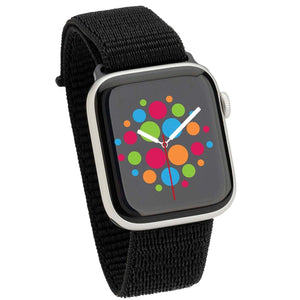
Where you might notice a difference is in strap length. Series 10 and Series 11 are slightly thinner than earlier models, so a band that was on its very last hole before might now sit one notch tighter. Adjustable styles like Milanese loops and nylon straps sidestep that completely because you set the length wherever you like.
How to work out which band size to buy
Two quick steps:
- Find your case size. On your iPhone, open the Watch app, tap General, then About, and look for Model. You can also check the back of the watch case, where the size is engraved.
- Match it to the family. 38mm, 40mm, 41mm and the new 42mm all take small bands. Old 42mm, 44mm, 45mm, 46mm and 49mm all take large bands.
If you want the full breakdown of every band type, material and size, our Ultimate Guide to Apple Watch Bands walks through the lot, including the complete sizing table. And if you have never swapped one over before, changing an Apple Watch band takes about ten seconds once you know where the release button is.
Good bands to pair with a 42mm or 46mm watch
Since your old bands still work, anything you add is about variety rather than replacement. A few directions worth considering:
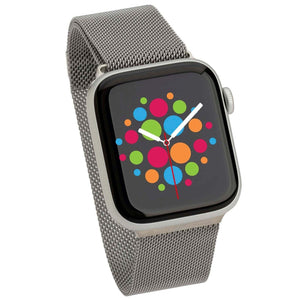
- Adjustable everyday wear: a Milanese loop gives you infinite length adjustment and dresses up or down without effort.
- Training and weekends: active and sport bands handle sweat, showers and the beach without complaint.
- Work and after hours: a leather band is the easy pick when you want the watch to read as a watch.
- Not sure where to start: have a look at our best sellers or browse the full Apple Watch band range.
Everything ships from our Australian warehouse, so you are not waiting weeks on an overseas parcel.
Frequently asked questions
Do Apple Watch bands fit all models?
Within their size family, yes. Any band made for a 38mm, 40mm, 41mm or new 42mm watch fits all of those cases. Any band made for an old 42mm, 44mm, 45mm, 46mm or 49mm watch fits all of those. Bands do not cross between the two families.
Will my 45mm band fit the 46mm Series 11?
Yes. 45mm and 46mm are in the same size family, so the band clicks straight in with no adapter and no gap.
Do 41mm bands fit the new 42mm Apple Watch?
Yes. The new 42mm case is the smaller of the two Series 10 and Series 11 sizes, and it takes the same bands as 38mm, 40mm and 41mm models.
Can I use an Apple Watch Ultra band on a Series 11?
Yes, on the 46mm Series 11. The 49mm Ultra sits in the large family alongside 44mm, 45mm and 46mm, so bands swap both ways. On the 42mm Series 11 it will not fit.
Has Apple ever changed the band connector?
No. The connector and slide-in mechanism have been the same since the first Apple Watch in 2015, which is why a band from 2016 still works on a watch from 2025.